This guide was carried over from the previous documentation. Screen and menu names may differ slightly in the current version.
How to find my Purchase Code and my buyer name?
- Log into your Envato Market account.
- Hover the mouse over your username at the top of the screen.
- Click ‘Downloads’ from the drop-down menu.
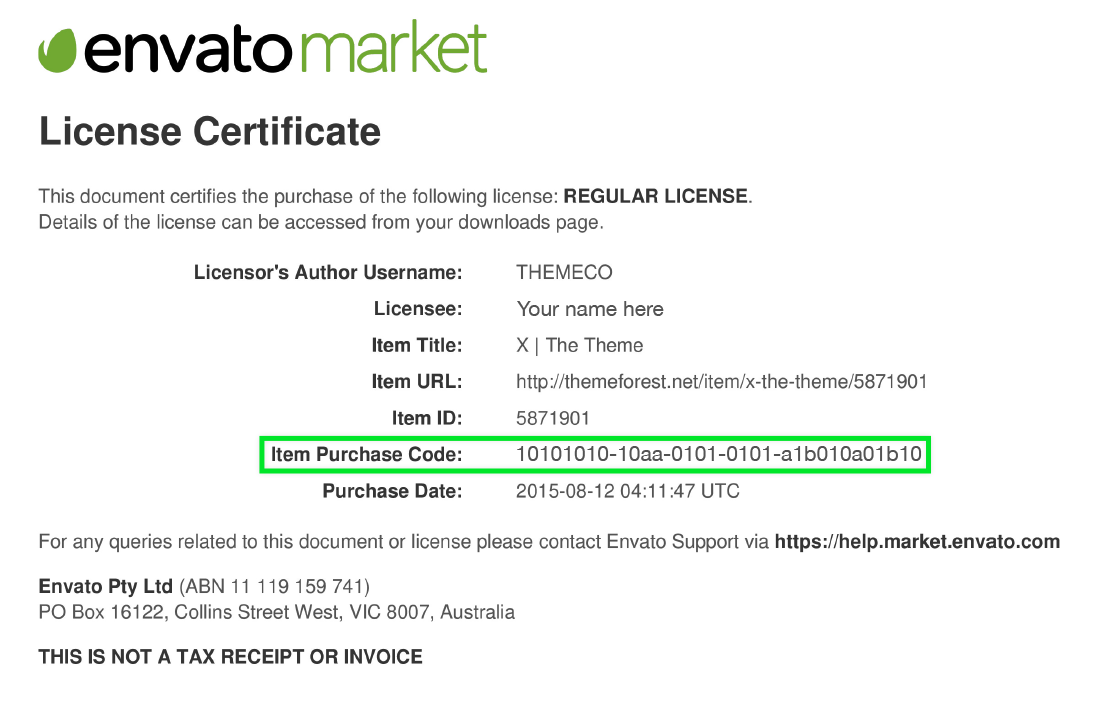
- Click License certificate & purchase code (available as PDF or text file).
- You can find your account buyer name under your Envato profile page.
Here is an example of a PDF License certificate and purchase code and Buyer name: