This guide was carried over from the previous documentation. Screen and menu names may differ slightly in the current version.
General Explanation
The order integration flow is designed to be universal and can be applied to any website or online store, regardless of the CMS or e-commerce platform you use. The key is that the order confirmation process on your site must align with the steps outlined in our integration flow.
In other words, as long as your website has an order confirmation page that displays the required key values (Order ID, Order Total, Currency, and Product IDs), and you’re able to insert our tracking code into this page, the integration can be completed. The process is manual, meaning you or your developer must physically insert the code and ensure the key values are displayed correctly.
This makes the integration highly versatile and adaptable, fitting a wide range of websites and e-commerce platforms.
Order Integration Flow Guide
- Access Server-Side Files: Make sure you have access to the server-side files of your website, as you’ll need to modify them.
- Create Integration Campaign: Log into the affiliate system and create a new order integration campaign. This will generate a tracking code.
- Identify Key Values: Your website’s order confirmation page needs to display certain key values, including:
- Order ID
- Order Total
- Currency
- Product IDs
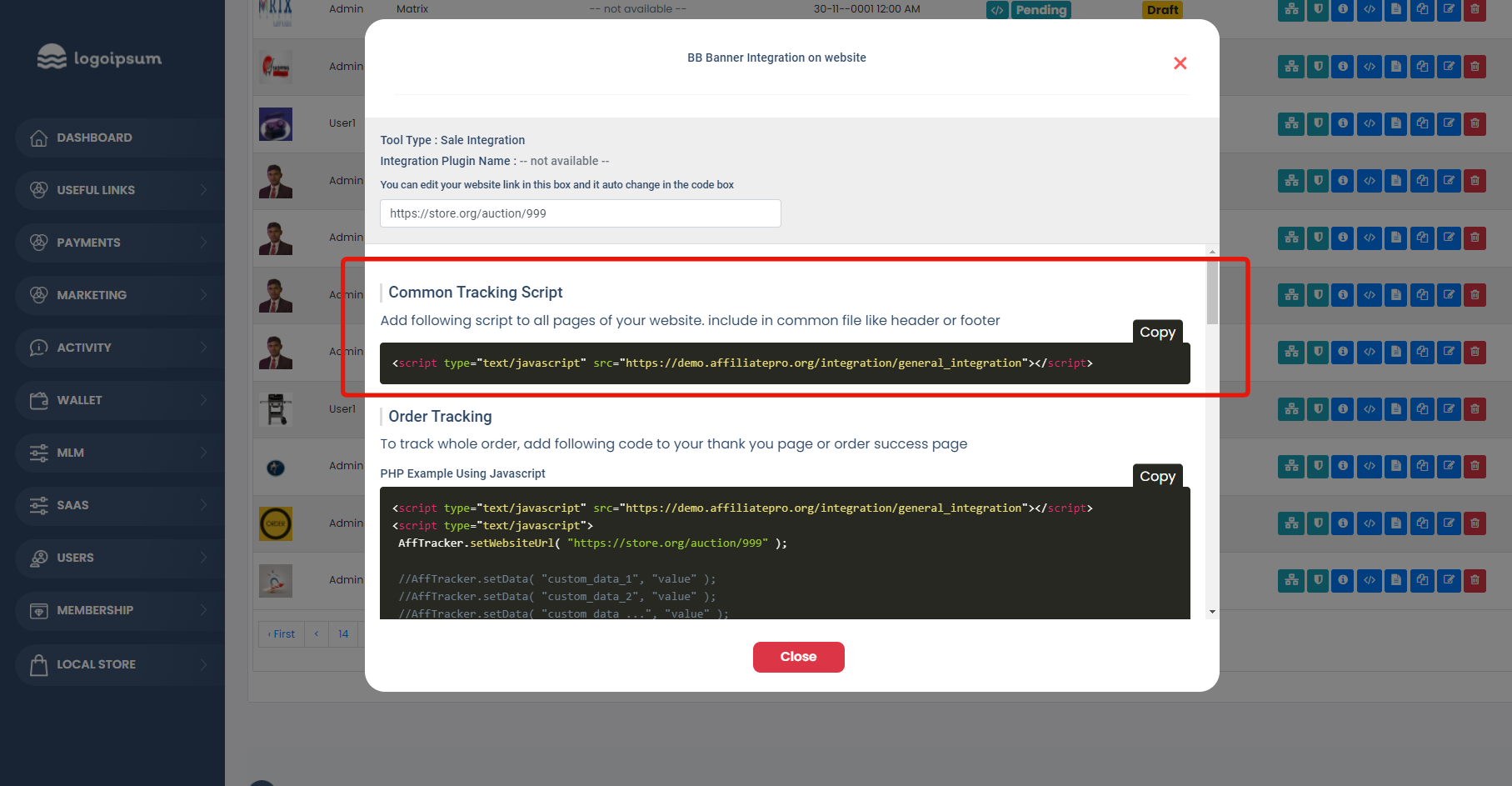
- Insert Tracking Code: Paste the tracking code from the affiliate system into the HTML of your site’s order confirmation page. Make sure this page includes the key values mentioned above.
- Optional Confirmation Page Development: If your site does not already have an order confirmation page, you must create one that includes the key values and the tracking code.
- Understand Commission: Commissions are calculated based on the total value of each order, not on individual products within the order.
- Test and Verify: Once everything is set up, test the process to ensure tracking and commission calculation work as expected.
This is the basic framework for integrating order tracking via the affiliate system into your website.
You can try it for free before you buy. Step by Step? Read here
Example code of order integration:

Commission Logic Example
On Your Site:
- Product-1 = $100
- Product-2 = $200
On the Affiliate Admin Side:
- The program offers a 10% commission on total sales.
Order Process:
- The end client adds both Product-1 and Product-2 to their cart.
- The total for cart checkout is $100 (Product-1) + $200 (Product-2) = $300.
- The commission is calculated as 10% of $300, which equals $30.
Affiliate Wallet:
- As a result, the affiliate earns a $30 commission, which is credited to their wallet.
This example demonstrates how the commission is calculated on the total cart value, rather than on individual products. The affiliate earns a percentage of the total sale, making the commission model straightforward to understand.